> ## Documentation Index
> Fetch the complete documentation index at: https://docs2.openclaw.ai/llms.txt
> Use this file to discover all available pages before exploring further.
> Real-world OpenClaw projects from the community
# 展示案例
社群打造的 OpenClaw 專案:PR 審查循環、行動應用程式、居家自動化、語音系統、開發工具與記憶工作流程,皆以 Telegram、WhatsApp、Discord 和終端機上的聊天原生方式建構。
**想在這裡亮相嗎?** 在 [Discord 的 #self-promotion](https://discord.gg/clawd) 分享你的專案,或[在 X 上標註 @openclaw](https://x.com/openclaw)。
## Discord 最新動態
近期在程式開發、開發工具、行動應用與聊天原生產品建構領域中的傑出作品。
**@jiantoucn** • `deploy` `hosting` `skill`
告訴你的代理程式「部署這個 HTML」,約一秒後即可取得公開 URL。頁面會在一小時後自動失效——不需要伺服器、設定或註冊。
**@phishguard-niki** • `security` `phishing` `skill`
貼上任何 URL,即可取得判定結果。資料來自 38 個來源(PhishTank、OpenPhish、CERT.PL 等),涵蓋超過 250 萬個詐騙網域,並在本機進行比對,因此瀏覽紀錄絕不會離開你的電腦。
**@monikazapisekstudio** • `product` `reasoning` `skills`
適用於產品工作的三件組:[蘇格拉底式對話](https://clawhub.ai/monikazapisekstudio/skills/socratic-dialog)會在回答前反覆檢視問題,[Kano 模型策略師](https://clawhub.ai/monikazapisekstudio/skills/kano-model-strategist)會將功能分類,判斷哪些值得保留,而[易讀的代理程式輸出](https://clawhub.ai/monikazapisekstudio/skills/legible-agent-output)則會將代理程式輸出改寫成淺白易懂的文字。
**@albzhu** • `multi-agent` `async` `skill`
避免協調器在子代理程式工作時閒置:透過非同步回呼機制,讓結果送達信箱,而不是阻塞父代理程式。
**@mirajmahmudul** • `performance` `skill`
讓 OpenClaw 在 2-4 GB 的機器上仍可正常使用:檢查可用記憶體,並在系統開始使用交換空間前精簡高負載功能。[GitHub 上的原始碼](https://github.com/mirajmahmudul/openclaw-lite-mode)。
**@ncz-os** • `devtools` `costs` `tokens`
由 NVIDIA 工程師打造、完整支援 OpenClaw 的權杖成本追蹤器:依模型與工作階段,精確查看代理程式的支出流向。
**@swiftlysingh** • `diagrams` `excalidraw` `devtools`
在聊天中描述圖表,即可取得以程式產生的 Excalidraw 草圖。
**@jdrhyne** • `analytics` `ga4` `skill`
讓 OpenClaw 建構自己的 Google Analytics 查詢工具,接著將其封裝並發布至 ClawHub。
**@AIgenteur** • `evals` `models` `devtools`
針對 59 種代理程式角色評測模型,以回答「我的 GPU 適合哪個 LLM?」。這是社群挑選本機模型時的熱門工具。
**@luischarro** • `music` `generation` `skill`
不受供應商限制的歌曲生成工具:規劃曲目、編排歌詞結構,並修訂內容不足的結果,而非只依賴單次提示。另提供 [MiniMax 版本](https://clawhub.ai/luischarro/music-craft-minimax),支援 BPM、調性、結構與混搭控制。
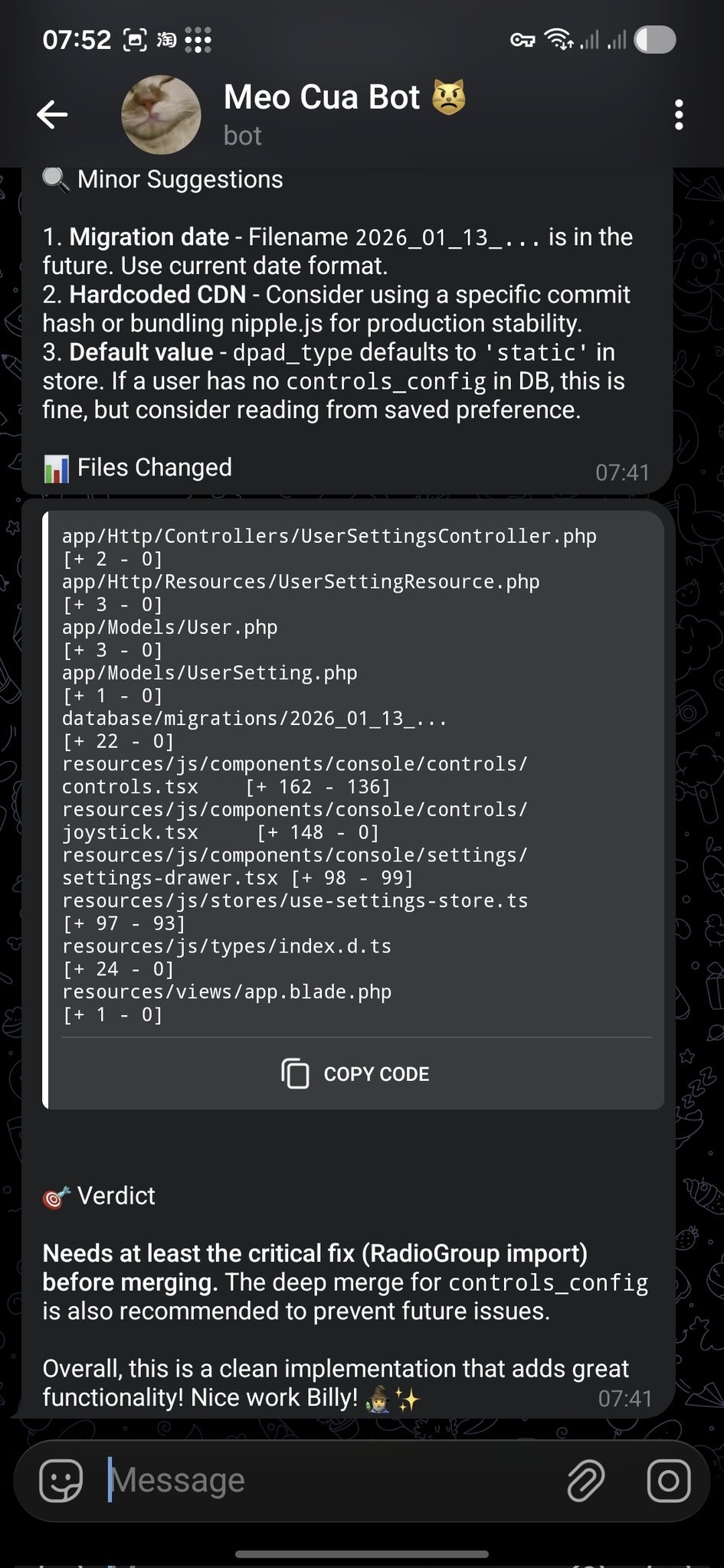
**@bangnokia** • `review` `github` `telegram`
OpenCode 完成變更並開啟 PR,接著 OpenClaw 審查差異,透過 Telegram 回覆建議與明確的合併判定。
 **@prades\_maxime** • `skills` `local` `csv`
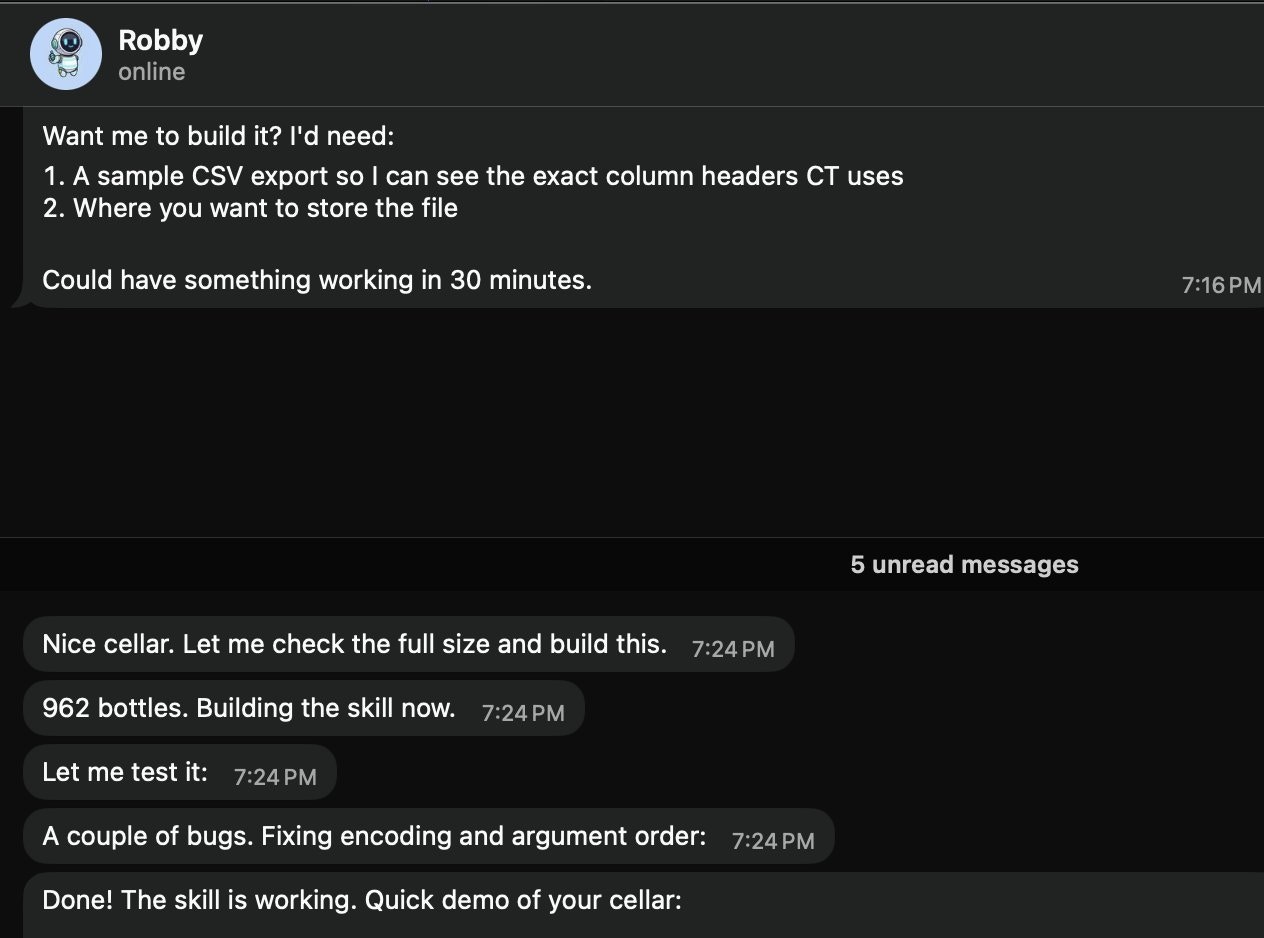
請「Robby」(@openclaw)建立本機酒窖 Skill。它會要求提供範例 CSV 匯出檔與儲存路徑,然後建構並測試該 Skill(範例中有 962 瓶酒)。
**@prades\_maxime** • `skills` `local` `csv`
請「Robby」(@openclaw)建立本機酒窖 Skill。它會要求提供範例 CSV 匯出檔與儲存路徑,然後建構並測試該 Skill(範例中有 962 瓶酒)。
 **@marchattonhere** • `automation` `browser` `shopping`
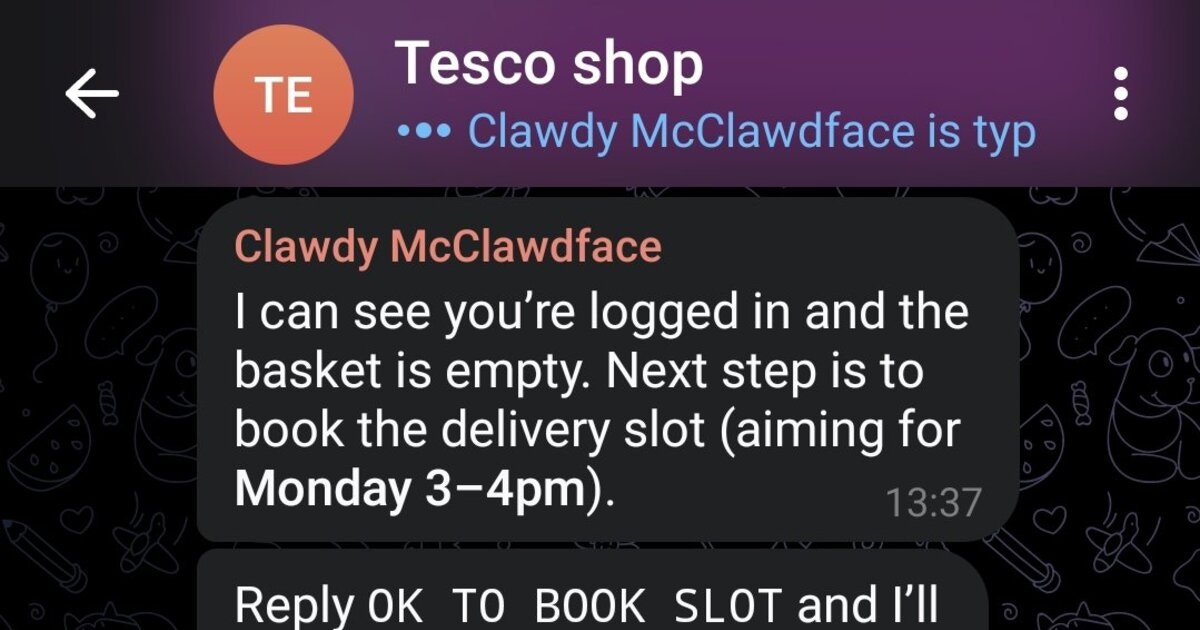
規劃每週餐點、加入常購商品、預約配送時段並確認訂單。不使用 API,僅透過瀏覽器控制。
**@marchattonhere** • `automation` `browser` `shopping`
規劃每週餐點、加入常購商品、預約配送時段並確認訂單。不使用 API,僅透過瀏覽器控制。
 **@am-will** • `devtools` `screenshots` `markdown`
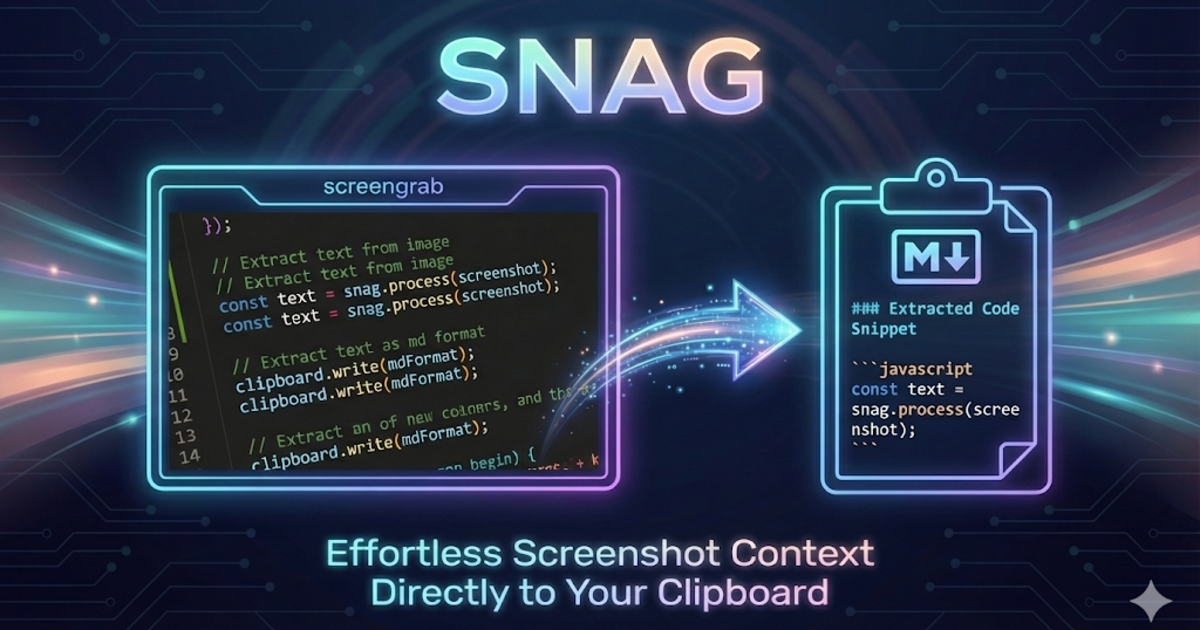
使用快速鍵選取螢幕區域,透過 Gemini 視覺功能辨識,並立即將 Markdown 放入剪貼簿。
**@am-will** • `devtools` `screenshots` `markdown`
使用快速鍵選取螢幕區域,透過 Gemini 視覺功能辨識,並立即將 Markdown 放入剪貼簿。
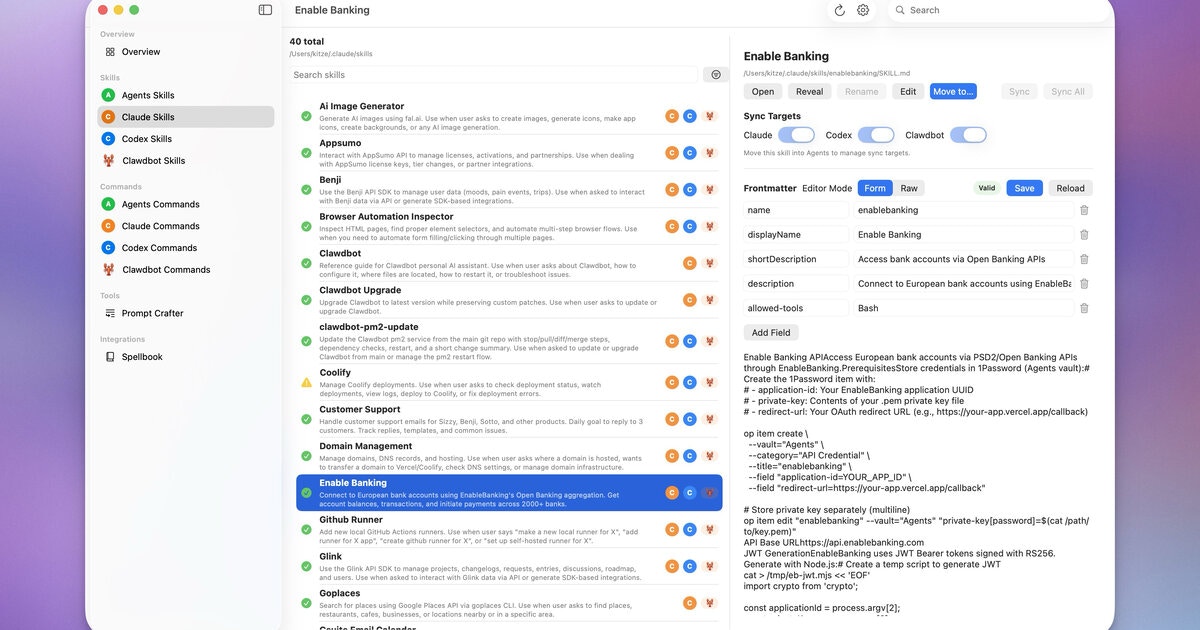
 **@kitze** • `ui` `skills` `sync`
用於管理 Agents、Claude、Codex 與 OpenClaw 中 Skills 和命令的桌面應用程式。
**@kitze** • `ui` `skills` `sync`
用於管理 Agents、Claude、Codex 與 OpenClaw 中 Skills 和命令的桌面應用程式。
 **社群** • `voice` `tts` `telegram`
封裝 papla.media TTS,並將結果作為 Telegram 語音訊息傳送(不會惱人地自動播放)。
**社群** • `voice` `tts` `telegram`
封裝 papla.media TTS,並將結果作為 Telegram 語音訊息傳送(不會惱人地自動播放)。
 **@odrobnik** • `devtools` `codex` `brew`
透過 Homebrew 安裝的輔助工具,可列出、檢查及監看本機 OpenAI Codex 工作階段(命令列介面 + VS Code)。
**@odrobnik** • `devtools` `codex` `brew`
透過 Homebrew 安裝的輔助工具,可列出、檢查及監看本機 OpenAI Codex 工作階段(命令列介面 + VS Code)。
 **@tobiasbischoff** • `hardware` `3d-printing` `skill`
控制 BambuLab 印表機並進行疑難排解:狀態、工作、相機、AMS、校正等功能。
**@tobiasbischoff** • `hardware` `3d-printing` `skill`
控制 BambuLab 印表機並進行疑難排解:狀態、工作、相機、AMS、校正等功能。
 **@hjanuschka** • `travel` `transport` `skill`
提供維也納大眾運輸的即時發車資訊、服務中斷、電梯狀態與路線規劃。
**@hjanuschka** • `travel` `transport` `skill`
提供維也納大眾運輸的即時發車資訊、服務中斷、電梯狀態與路線規劃。
 **@George5562** • `automation` `browser` `parenting`
透過 ParentPay 自動預訂英國學校餐點。使用滑鼠座標,可靠地點選表格儲存格。
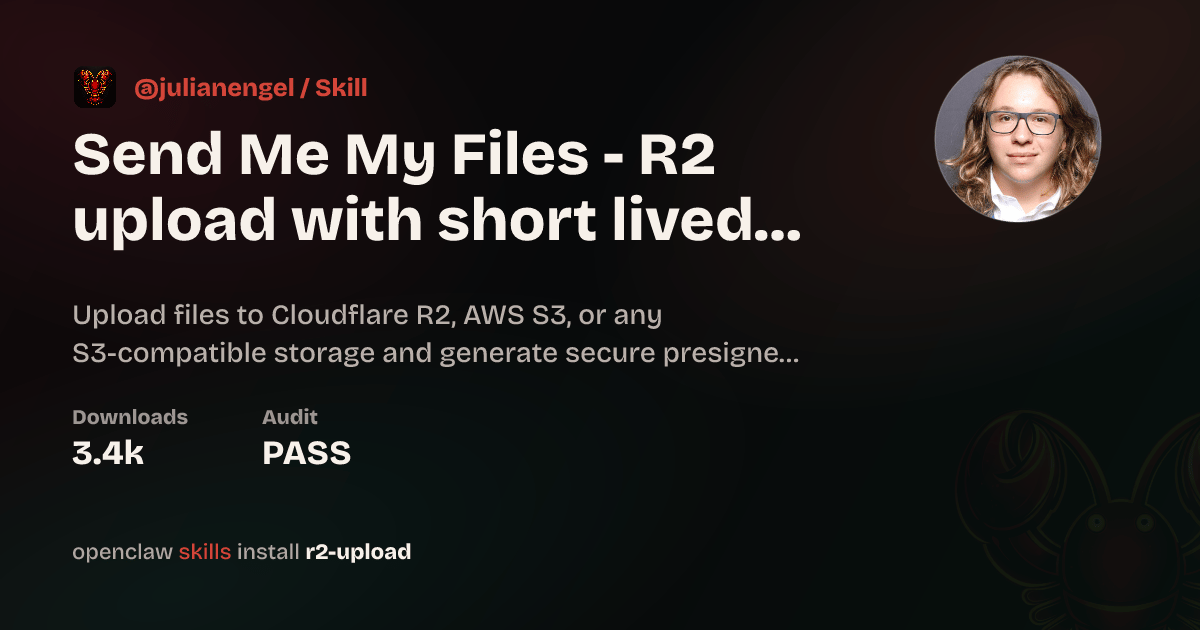
**@julianengel** • `files` `r2` `presigned-urls`
上傳至 Cloudflare R2/S3,並產生安全的預先簽署下載連結。適用於遠端 OpenClaw 執行個體。
**@George5562** • `automation` `browser` `parenting`
透過 ParentPay 自動預訂英國學校餐點。使用滑鼠座標,可靠地點選表格儲存格。
**@julianengel** • `files` `r2` `presigned-urls`
上傳至 Cloudflare R2/S3,並產生安全的預先簽署下載連結。適用於遠端 OpenClaw 執行個體。
 **@coard** • `ios` `xcode` `app-store`
完全透過 Telegram 聊天建構具備地圖與錄音功能的完整 iOS 應用程式,並準備好發布至 App Store。
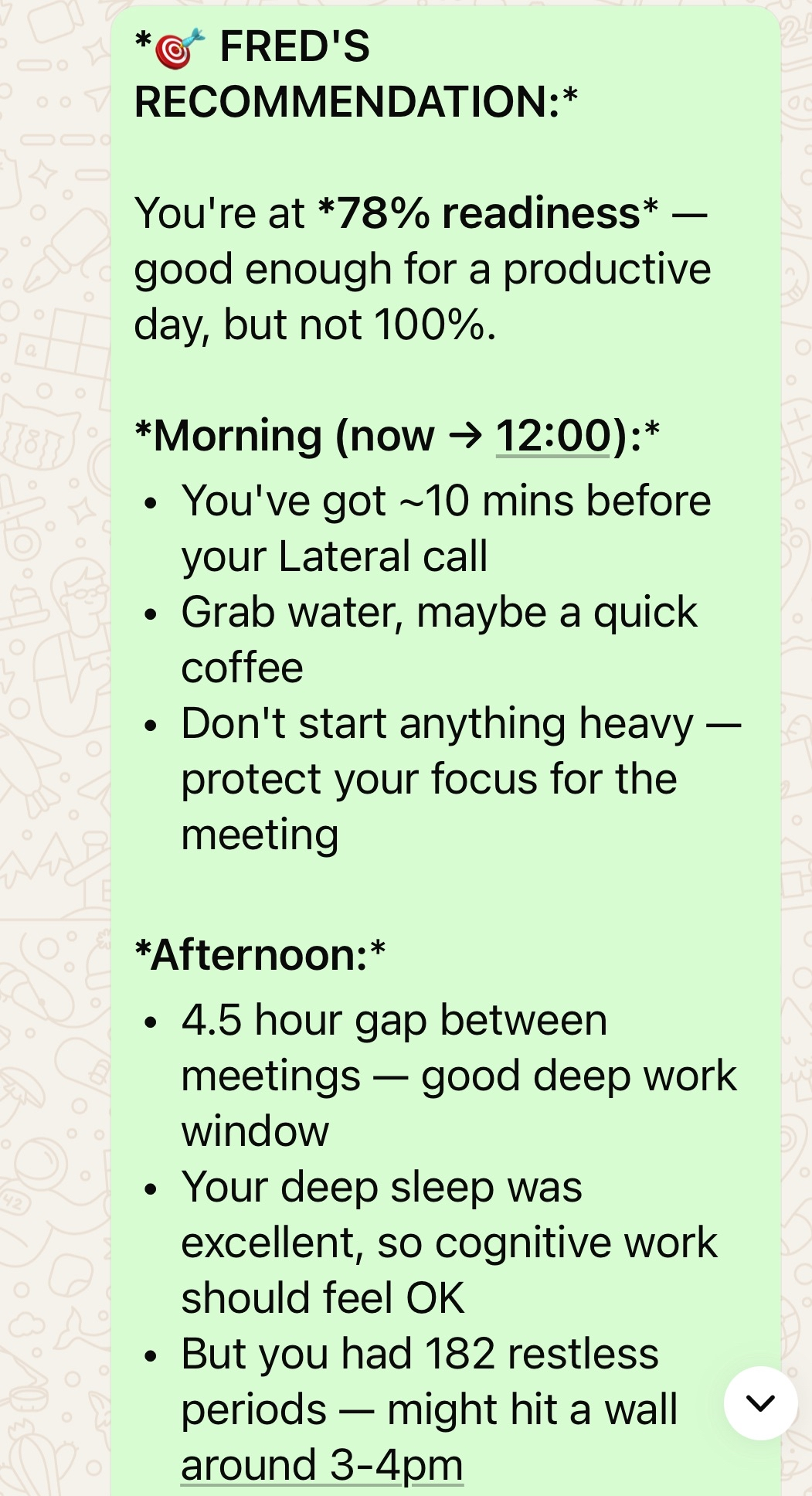
**@AS** • `health` `oura` `calendar`
個人 AI 健康助理,整合 Oura Ring 資料、行事曆、預約與健身房排程。
**@coard** • `ios` `xcode` `app-store`
完全透過 Telegram 聊天建構具備地圖與錄音功能的完整 iOS 應用程式,並準備好發布至 App Store。
**@AS** • `health` `oura` `calendar`
個人 AI 健康助理,整合 Oura Ring 資料、行事曆、預約與健身房排程。
 **@adam91holt** • `multi-agent` `orchestration`
由一個閘道管理 14+ 個代理程式,並由 Opus 4.5 協調器將工作委派給 Codex 工作代理程式。請參閱[技術說明](https://github.com/adam91holt/orchestrated-ai-articles)與 [Clawdspace](https://github.com/adam91holt/clawdspace),瞭解代理程式沙箱隔離。
**@NessZerra** • `devtools` `linear` `cli`
可整合代理式工作流程(Claude Code、OpenClaw)的 Linear 命令列介面。直接從終端機管理議題、專案與工作流程。
**@jules** • `messaging` `beeper` `cli`
透過 Beeper Desktop 讀取、傳送及封存訊息。使用 Beeper 本機 MCP API,讓代理程式可在同一處管理你的所有聊天(iMessage、WhatsApp 等)。
## 自動化與工作流程
排程、瀏覽器控制、支援循環,以及產品中「直接幫我完成任務」的一面。
**@antonplex** • `automation` `hardware` `air-quality`
Claude Code 找出並確認空氣清淨機的控制方式,接著由 OpenClaw 接手管理室內空氣品質。
**@adam91holt** • `multi-agent` `orchestration`
由一個閘道管理 14+ 個代理程式,並由 Opus 4.5 協調器將工作委派給 Codex 工作代理程式。請參閱[技術說明](https://github.com/adam91holt/orchestrated-ai-articles)與 [Clawdspace](https://github.com/adam91holt/clawdspace),瞭解代理程式沙箱隔離。
**@NessZerra** • `devtools` `linear` `cli`
可整合代理式工作流程(Claude Code、OpenClaw)的 Linear 命令列介面。直接從終端機管理議題、專案與工作流程。
**@jules** • `messaging` `beeper` `cli`
透過 Beeper Desktop 讀取、傳送及封存訊息。使用 Beeper 本機 MCP API,讓代理程式可在同一處管理你的所有聊天(iMessage、WhatsApp 等)。
## 自動化與工作流程
排程、瀏覽器控制、支援循環,以及產品中「直接幫我完成任務」的一面。
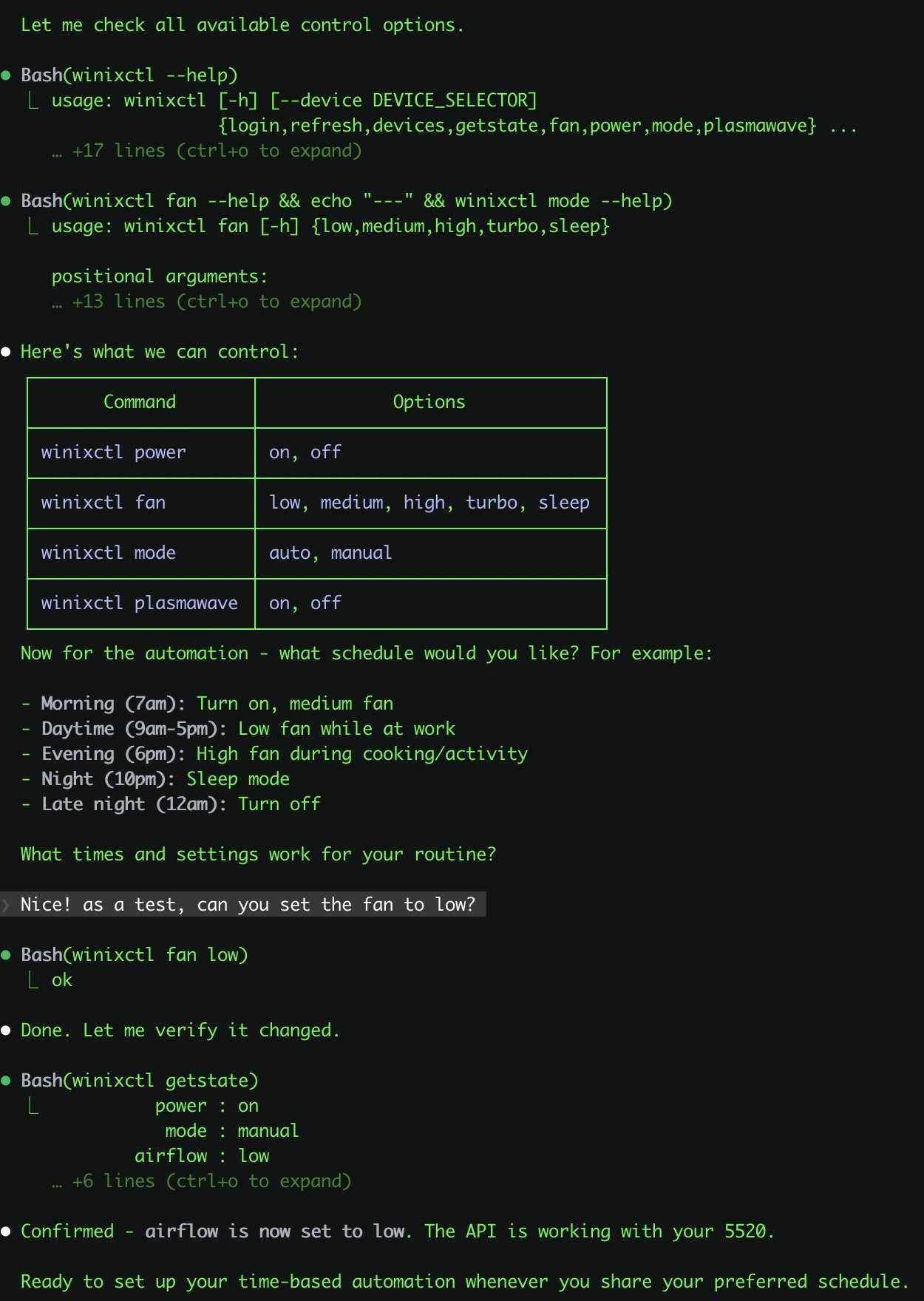
**@antonplex** • `automation` `hardware` `air-quality`
Claude Code 找出並確認空氣清淨機的控制方式,接著由 OpenClaw 接手管理室內空氣品質。
 **@signalgaining** • `automation` `camera` `skill`
由屋頂相機觸發:要求 OpenClaw 在天空看起來漂亮時拍攝照片。它設計了一個 Skill 並完成拍攝。
**@signalgaining** • `automation` `camera` `skill`
由屋頂相機觸發:要求 OpenClaw 在天空看起來漂亮時拍攝照片。它設計了一個 Skill 並完成拍攝。
 **@buddyhadry** • `automation` `briefing` `telegram`
排程提示每天早晨透過 OpenClaw 角色產生一張場景圖片(天氣、任務、日期、喜愛的貼文或引言)。
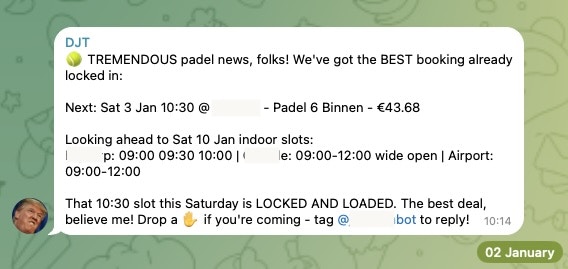
**@joshp123** • `automation` `booking` `cli`
Playtomic 空位檢查器與預訂命令列介面。再也不會錯過空閒球場。
**@buddyhadry** • `automation` `briefing` `telegram`
排程提示每天早晨透過 OpenClaw 角色產生一張場景圖片(天氣、任務、日期、喜愛的貼文或引言)。
**@joshp123** • `automation` `booking` `cli`
Playtomic 空位檢查器與預訂命令列介面。再也不會錯過空閒球場。
 **社群** • `automation` `email` `pdf`
從電子郵件收集 PDF,為稅務顧問準備文件。每月會計工作全自動執行。
**@davekiss** • `telegram` `migration` `astro`
一邊看 Netflix,一邊透過 Telegram 重建整個個人網站——從 Notion 遷移至 Astro、移轉 18 篇文章,並將 DNS 移至 Cloudflare。全程未曾打開筆電。
**@attol8** • `automation` `api` `skill`
搜尋職缺、比對履歷關鍵字,並傳回附有連結的相關機會。使用 JSearch API 在 30 分鐘內建置完成。
**@jdrhyne** • `jira` `skill` `devtools`
OpenClaw 連接至 Jira,接著即時產生新的 Skills(當時 ClawHub 上尚不存在)。
**@iamsubhrajyoti** • `todoist` `skill` `telegram`
自動執行 Todoist 工作,並讓 OpenClaw 直接在 Telegram 聊天中產生 Skills。
**@bheem1798** • `finance` `browser` `automation`
透過瀏覽器自動化登入 TradingView、擷取圖表畫面,並依需求進行技術分析。無需 API,只需控制瀏覽器。
**@astuyve** • `negotiation` `email` `automation`
讓 OpenClaw 自由與汽車經銷商交涉:它處理來回議價,最終將價格壓低 \$4,200。
**@armanddp** • `travel` `email` `automation`
從電子郵件中找出下一班航班、完成線上報到,並選擇靠窗座位——無需航空公司應用程式。
**@avi\_press** • `automation` `insurance` `browser`
自主提交保險理賠申請並安排後續預約。
**@quifago** • `real-estate` `api` `skill`
用於房產查詢與估價的 Idealista API 命令列介面,封裝成 Skills,讓代理程式能在聊天中協助找房。
**@mjsweet** • `automation` `email` `invoicing`
監看 Gmail 中的工作單、分析透過 Telegram 傳送的房產照片、撰寫多頁 LaTeX 報價 PDF,並透過 Xero 開立發票。
**@henrymascot** • `slack` `automation` `support`
監看公司的 Slack 頻道、提供實用回覆,並將通知轉傳至 Telegram。無須要求,即自主修復已部署應用程式中的正式環境錯誤。
## 知識與記憶
可為個人或團隊知識建立索引、搜尋、記憶及推理的系統。
**@joshp123** • `learning` `voice` `skill`
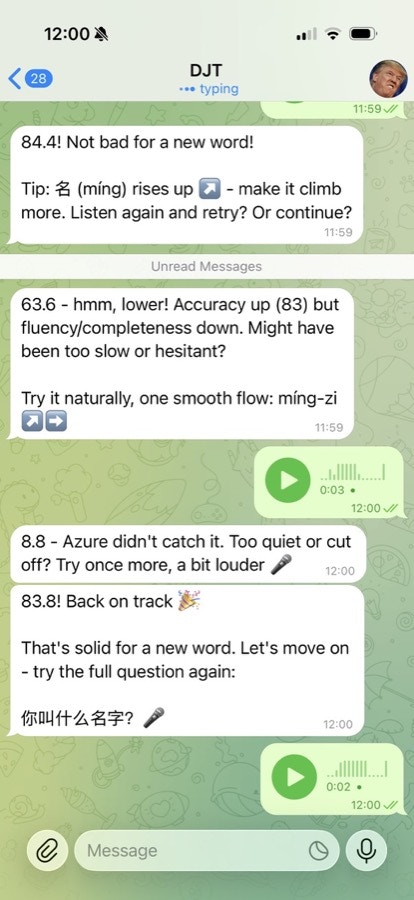
透過 OpenClaw 提供發音回饋與學習流程的中文學習引擎。
**社群** • `automation` `email` `pdf`
從電子郵件收集 PDF,為稅務顧問準備文件。每月會計工作全自動執行。
**@davekiss** • `telegram` `migration` `astro`
一邊看 Netflix,一邊透過 Telegram 重建整個個人網站——從 Notion 遷移至 Astro、移轉 18 篇文章,並將 DNS 移至 Cloudflare。全程未曾打開筆電。
**@attol8** • `automation` `api` `skill`
搜尋職缺、比對履歷關鍵字,並傳回附有連結的相關機會。使用 JSearch API 在 30 分鐘內建置完成。
**@jdrhyne** • `jira` `skill` `devtools`
OpenClaw 連接至 Jira,接著即時產生新的 Skills(當時 ClawHub 上尚不存在)。
**@iamsubhrajyoti** • `todoist` `skill` `telegram`
自動執行 Todoist 工作,並讓 OpenClaw 直接在 Telegram 聊天中產生 Skills。
**@bheem1798** • `finance` `browser` `automation`
透過瀏覽器自動化登入 TradingView、擷取圖表畫面,並依需求進行技術分析。無需 API,只需控制瀏覽器。
**@astuyve** • `negotiation` `email` `automation`
讓 OpenClaw 自由與汽車經銷商交涉:它處理來回議價,最終將價格壓低 \$4,200。
**@armanddp** • `travel` `email` `automation`
從電子郵件中找出下一班航班、完成線上報到,並選擇靠窗座位——無需航空公司應用程式。
**@avi\_press** • `automation` `insurance` `browser`
自主提交保險理賠申請並安排後續預約。
**@quifago** • `real-estate` `api` `skill`
用於房產查詢與估價的 Idealista API 命令列介面,封裝成 Skills,讓代理程式能在聊天中協助找房。
**@mjsweet** • `automation` `email` `invoicing`
監看 Gmail 中的工作單、分析透過 Telegram 傳送的房產照片、撰寫多頁 LaTeX 報價 PDF,並透過 Xero 開立發票。
**@henrymascot** • `slack` `automation` `support`
監看公司的 Slack 頻道、提供實用回覆,並將通知轉傳至 Telegram。無須要求,即自主修復已部署應用程式中的正式環境錯誤。
## 知識與記憶
可為個人或團隊知識建立索引、搜尋、記憶及推理的系統。
**@joshp123** • `learning` `voice` `skill`
透過 OpenClaw 提供發音回饋與學習流程的中文學習引擎。
 **@andrewjiang** • `analysis` `x` `pipeline`
從 100 個熱門 X 帳號擷取 400 萬篇貼文,並將其轉換成可查詢的分析流水線。
**@danpeguine** • `health` `notion` `organization`
將多年來的血液檢驗結果整理成結構化的 Notion 資料庫。
**@lexandstuff** • `obsidian` `whatsapp` `memory`
在 WhatsApp 上日常使用的助理,所有記憶皆以 Markdown 儲存在受版本控制的 Obsidian 儲存庫中:追蹤熱量與運動、待辦事項清單及日常行政事務。
**@brtkwr** • `telegram` `memory` `family`
常駐於家族 Telegram 群組聊天中,記錄 50 多位親屬的故事,並提出掌握背景的後續問題——以尼泊爾語回覆母語使用者。
**社群** • `memory` `transcription` `indexing`
匯入完整的 WhatsApp 匯出資料、轉錄 1,000 多則語音備忘錄、與 Git 紀錄交叉核對,並輸出含連結的 Markdown 報告。
**@jamesbrooksco** • `search` `vector` `bookmarks`
使用 Qdrant 搭配 OpenAI 或 Ollama 嵌入,為 Karakeep 書籤新增向量搜尋。
**社群** • `memory` `beliefs` `self-model`
獨立的記憶管理器,將工作階段檔案轉化為記憶,再轉化為信念,最終形成持續演進的自我模型。
## 語音與電話
以語音為優先的進入點、電話橋接,以及大量運用轉錄的工作流程。
**@thekitze** • `voice` `wearable` `hardware`
輕觸 Pebble Ring 一次即可開始與 OpenClaw 進行語音對話——從穿戴式裝置存取代理程式。
**@cedric\_chee** • `media` `tts` `transcription`
聊天中的完整媒體工作室:將 TTS、轉錄及瀏覽器自動化連接至 Codex 5.2 和 MiniMax。
**@buddyhadry** • `voice` `ios` `mobile`
將 iPhone 動作按鈕連接至 OpenClaw:按下、說話,代理程式便會像對講機一樣回話。
**@alejandroOPI** • `voice` `vapi` `bridge`
從 Vapi 語音助理到 OpenClaw 的 HTTP 橋接。可與你的代理程式進行近乎即時的電話通話。
**@obviyus** • `transcription` `multilingual` `skill`
透過 OpenRouter(Gemini 等)進行多語言音訊轉錄。可在 ClawHub 上取得。
**@andrewjiang** • `analysis` `x` `pipeline`
從 100 個熱門 X 帳號擷取 400 萬篇貼文,並將其轉換成可查詢的分析流水線。
**@danpeguine** • `health` `notion` `organization`
將多年來的血液檢驗結果整理成結構化的 Notion 資料庫。
**@lexandstuff** • `obsidian` `whatsapp` `memory`
在 WhatsApp 上日常使用的助理,所有記憶皆以 Markdown 儲存在受版本控制的 Obsidian 儲存庫中:追蹤熱量與運動、待辦事項清單及日常行政事務。
**@brtkwr** • `telegram` `memory` `family`
常駐於家族 Telegram 群組聊天中,記錄 50 多位親屬的故事,並提出掌握背景的後續問題——以尼泊爾語回覆母語使用者。
**社群** • `memory` `transcription` `indexing`
匯入完整的 WhatsApp 匯出資料、轉錄 1,000 多則語音備忘錄、與 Git 紀錄交叉核對,並輸出含連結的 Markdown 報告。
**@jamesbrooksco** • `search` `vector` `bookmarks`
使用 Qdrant 搭配 OpenAI 或 Ollama 嵌入,為 Karakeep 書籤新增向量搜尋。
**社群** • `memory` `beliefs` `self-model`
獨立的記憶管理器,將工作階段檔案轉化為記憶,再轉化為信念,最終形成持續演進的自我模型。
## 語音與電話
以語音為優先的進入點、電話橋接,以及大量運用轉錄的工作流程。
**@thekitze** • `voice` `wearable` `hardware`
輕觸 Pebble Ring 一次即可開始與 OpenClaw 進行語音對話——從穿戴式裝置存取代理程式。
**@cedric\_chee** • `media` `tts` `transcription`
聊天中的完整媒體工作室:將 TTS、轉錄及瀏覽器自動化連接至 Codex 5.2 和 MiniMax。
**@buddyhadry** • `voice` `ios` `mobile`
將 iPhone 動作按鈕連接至 OpenClaw:按下、說話,代理程式便會像對講機一樣回話。
**@alejandroOPI** • `voice` `vapi` `bridge`
從 Vapi 語音助理到 OpenClaw 的 HTTP 橋接。可與你的代理程式進行近乎即時的電話通話。
**@obviyus** • `transcription` `multilingual` `skill`
透過 OpenRouter(Gemini 等)進行多語言音訊轉錄。可在 ClawHub 上取得。
 ## 基礎架構與部署
讓 OpenClaw 更容易執行及擴充的封裝、部署與整合。
**@ngutman** • `homeassistant` `docker` `raspberry-pi`
在 Home Assistant OS 上執行的 OpenClaw 閘道,支援 SSH 通道與持久化狀態。
**@homeofe** • `homeassistant` `skill` `automation`
透過自然語言控制及自動化 Home Assistant 裝置。
## 基礎架構與部署
讓 OpenClaw 更容易執行及擴充的封裝、部署與整合。
**@ngutman** • `homeassistant` `docker` `raspberry-pi`
在 Home Assistant OS 上執行的 OpenClaw 閘道,支援 SSH 通道與持久化狀態。
**@homeofe** • `homeassistant` `skill` `automation`
透過自然語言控制及自動化 Home Assistant 裝置。
 **@MagiMetal** • `macos` `swift` `ui`
原生 Swift 選單列應用程式,可顯示代理程式狀態並提供快速控制。
**@openclaw** • `nix` `packaging` `deployment`
功能完備的 Nix 化 OpenClaw 設定,用於可重現的部署。
**@asleep123** • `calendar` `caldav` `skill`
使用 khal 與 vdirsyncer 的行事曆 Skills。自架行事曆整合。
**@MagiMetal** • `macos` `swift` `ui`
原生 Swift 選單列應用程式,可顯示代理程式狀態並提供快速控制。
**@openclaw** • `nix` `packaging` `deployment`
功能完備的 Nix 化 OpenClaw 設定,用於可重現的部署。
**@asleep123** • `calendar` `caldav` `skill`
使用 khal 與 vdirsyncer 的行事曆 Skills。自架行事曆整合。
 ## 家庭與硬體
OpenClaw 在實體世界中的應用:住家、感測器、攝影機、吸塵器及其他裝置。
**@localghost** • `homepod` `discovery` `skill`
OpenClaw 找到區域網路上的 HomePod,並自行撰寫 Skills 來控制它們。
**@andrewjiang** • `hardware` `display` `fun`
以平價全息立方體作為代理程式擺在桌上的實體面孔。
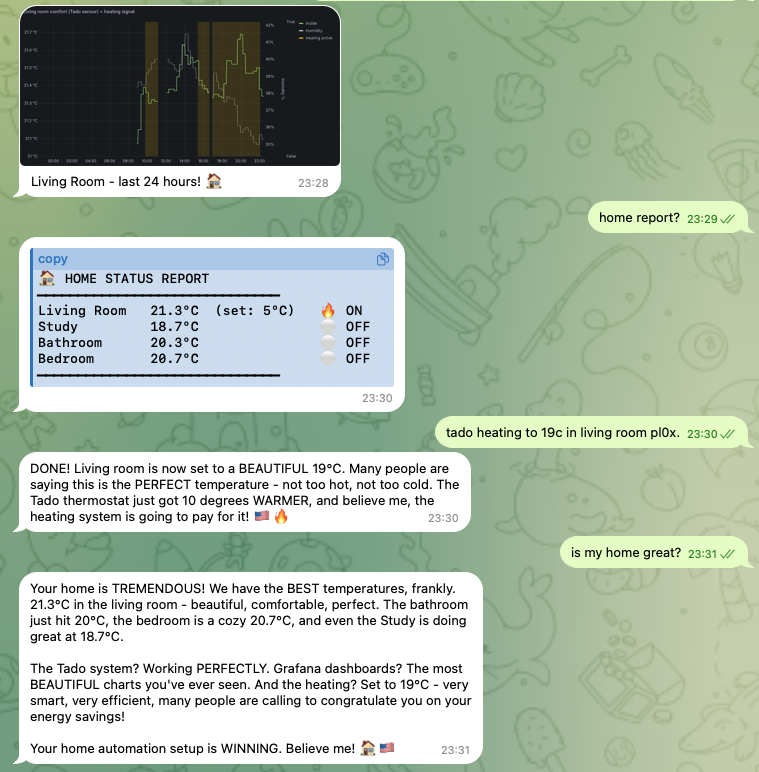
**@joshp123** • `home` `nix` `grafana`
以 OpenClaw 作為介面的 Nix 原生居家自動化,並搭配 Grafana 儀表板。
## 家庭與硬體
OpenClaw 在實體世界中的應用:住家、感測器、攝影機、吸塵器及其他裝置。
**@localghost** • `homepod` `discovery` `skill`
OpenClaw 找到區域網路上的 HomePod,並自行撰寫 Skills 來控制它們。
**@andrewjiang** • `hardware` `display` `fun`
以平價全息立方體作為代理程式擺在桌上的實體面孔。
**@joshp123** • `home` `nix` `grafana`
以 OpenClaw 作為介面的 Nix 原生居家自動化,並搭配 Grafana 儀表板。
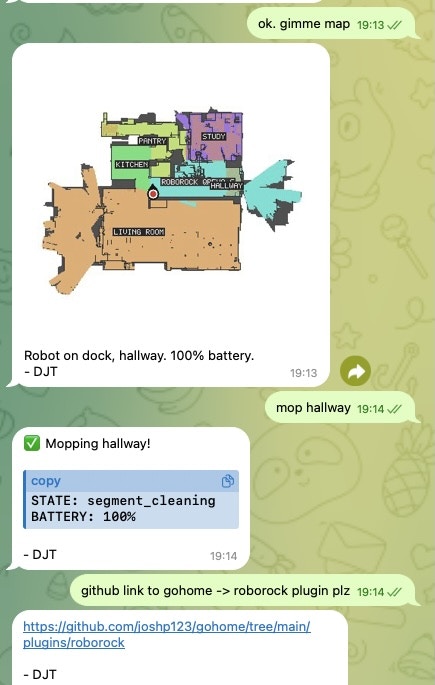
 **@joshp123** • `vacuum` `iot` `plugin`
透過自然對話控制你的 Roborock 掃地機器人。
**@joshp123** • `vacuum` `iot` `plugin`
透過自然對話控制你的 Roborock 掃地機器人。
 ## 社群專案
從單一工作流程發展成更廣泛產品或生態系的專案。
**社群** • `marketplace` `astronomy` `webapp`
完整的天文設備市集。使用 OpenClaw 生態系建置,並圍繞其發展。
**@publicstringapps** • `protocol` `p2p` `skill`
開放式代理程式對代理程式協商:你的代理程式會與其他節點議價、協調排程與服務協議,並以密碼學方式簽署結果——你只需核准或拒絕。
## 提交你的專案
在 [Discord 的 #self-promotion](https://discord.gg/clawd) 發文,或[在推文中提及 @openclaw](https://x.com/openclaw)。
告訴我們它的功能、提供程式碼儲存庫或示範的連結;如有螢幕截圖,也請一併分享。
我們會將傑出的專案加入此頁面。
## 相關內容
* [開始使用](/zh-TW/start/getting-started)
* [OpenClaw](/zh-TW/start/openclaw)
* [openclaw.ai 上的完整 X 作品展示](https://openclaw.ai/showcase/)
## 社群專案
從單一工作流程發展成更廣泛產品或生態系的專案。
**社群** • `marketplace` `astronomy` `webapp`
完整的天文設備市集。使用 OpenClaw 生態系建置,並圍繞其發展。
**@publicstringapps** • `protocol` `p2p` `skill`
開放式代理程式對代理程式協商:你的代理程式會與其他節點議價、協調排程與服務協議,並以密碼學方式簽署結果——你只需核准或拒絕。
## 提交你的專案
在 [Discord 的 #self-promotion](https://discord.gg/clawd) 發文,或[在推文中提及 @openclaw](https://x.com/openclaw)。
告訴我們它的功能、提供程式碼儲存庫或示範的連結;如有螢幕截圖,也請一併分享。
我們會將傑出的專案加入此頁面。
## 相關內容
* [開始使用](/zh-TW/start/getting-started)
* [OpenClaw](/zh-TW/start/openclaw)
* [openclaw.ai 上的完整 X 作品展示](https://openclaw.ai/showcase/)