
OpenClaw 🦞
“EXFOLIATE! EXFOLIATE!” — A space lobster, probably
Your AI assistant, on your own hardware, in every chat app you already use.
One Gateway. Any model. Any device. No hosted service in the middle.
Developed in the open by the OpenClaw Foundation, an independent 501(c)(3). No paid tier, no telemetry by default beyond a version check you can turn off, no lab owns it.
Get Started
Install OpenClaw and bring up the Gateway in minutes.
Run Onboarding
Guided setup with
openclaw onboard and pairing flows.Connect a Channel
Link Discord, Signal, Telegram, WhatsApp, and more to chat from anywhere.
Open the Control UI
Launch the browser dashboard for chat, config, and sessions.
Browse docs
Mobile browsers may show the section menu without the full desktop tab bar. Use these hub links to reach the same top-level docs areas from the page body.Get started
Overview, showcase, first steps, and setup guides.
Install
Install paths, updates, containers, hosting, and advanced setup.
Channels
Messaging channels, pairing, routing, access groups, and channel QA.
Agents
Architecture, sessions, context, memory, and multi-agent routing.
Capabilities
Tools, skills, cron, webhooks, and automation capabilities.
ClawHub
Plugin marketplace, publishing, curation, and trust guidance.
Models
Providers, model configuration, failover, and local model services.
Platforms
macOS, Windows, iOS, Android, nodes, and web surfaces.
Gateway & Ops
Gateway configuration, security, diagnostics, and operations.
Reference
CLI reference, schemas, RPC, and templates.
Releases
Release notes for each version, with highlights and source links.
Help
Troubleshooting, FAQs, testing, diagnostics, and environment checks.
What is OpenClaw?
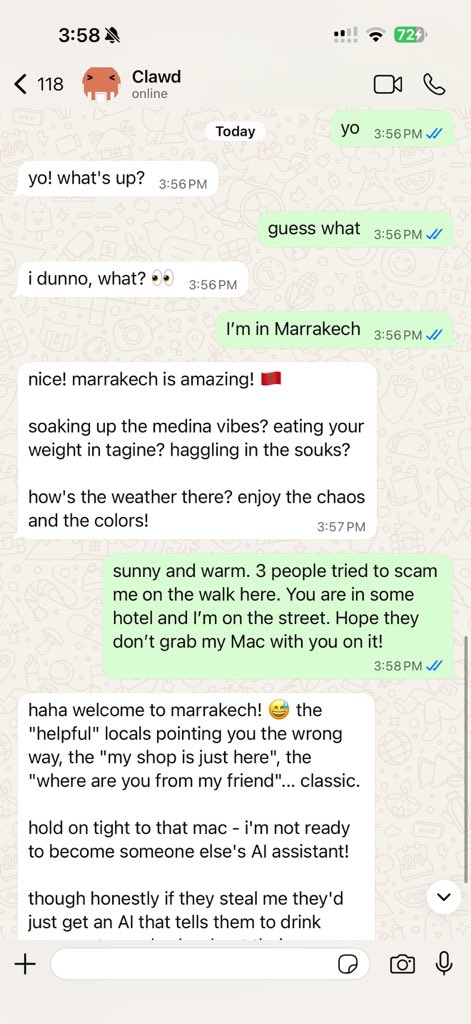
OpenClaw is a self-hosted gateway that connects your favorite chat apps — Discord, Google Chat, iMessage, Matrix, Microsoft Teams, Signal, Slack, Telegram, WhatsApp, Zalo, and more via channel plugins — to AI coding agents. You run a single Gateway process on your own machine (or a server), and it becomes the bridge between your messaging apps and an always-available AI assistant. Who is it for? Developers, power users, and teams who want an AI assistant they can message from anywhere — without giving up control of their data or relying on a hosted service. The same gateway runs as a personal assistant on one laptop or as a shared team deployment; configuration is the only difference. What makes it different?- Self-hosted: runs on your hardware, your rules
- Multi-channel: one Gateway serves every configured channel plugin simultaneously
- Agent-native: built for coding agents with tool use, sessions, memory, and multi-agent routing
- Open source: MIT licensed, community-driven
How it works
The Gateway is the single source of truth for sessions, routing, and channel connections.Key capabilities
Multi-channel gateway
Discord, iMessage, Signal, Slack, Telegram, WhatsApp, WebChat, and more with a single Gateway process.
Plugin channels
Channel plugins add Matrix, Nostr, Twitch, Zalo, and more; official plugins install on demand.
Multi-agent routing
Isolated sessions per agent, workspace, or sender.
Media support
Send and receive images, audio, and documents.
Web Control UI
Browser dashboard for chat, config, sessions, and nodes.
Mobile nodes
Pair iOS and Android nodes for camera, screen, and voice-enabled workflows.
Skills
Teach the agent repeatable procedures it loads on demand.
Automation
Run work on a schedule with cron jobs, hooks, and webhooks.
Build plugins
Write your own channel, provider, and tool plugins against the plugin SDK.
Quick start
1
Install OpenClaw
- macOS / Linux / WSL2
- Windows (PowerShell)
2
Complete onboarding
Onboarding offers Quick start and Custom setup. Quick start reuses
detected AI access, verifies it with a real completion, and opens the web
dashboard with a Gateway in the foreground. Custom setup walks the full
guided flow.
openclaw onboard --classic opens the classic step-by-step
wizard instead.3
Install the Gateway service
Quick start leaves the Gateway in the foreground. Press Ctrl+C, then
install the background service:
4
Chat
Open the Control UI in your browser and send a message:Or connect a channel (Telegram is fastest) and chat from your phone.
Dashboard
Open the browser Control UI after the Gateway starts.- Local default: http://127.0.0.1:18789/
- Remote access: Web surfaces and Tailscale
Configuration (optional)
Config lives at~/.openclaw/openclaw.json.
- If you do nothing, OpenClaw uses the bundled OpenClaw agent runtime; DMs share the agent’s main session, and each group chat gets its own session.
- If you want to lock it down, start with
channels.whatsapp.allowFromand (for groups) mention rules.
Start here
Docs hubs
All docs and guides, organized by use case.
Configuration
Core Gateway settings, tokens, and provider config.
Remote access
SSH and tailnet access patterns.
Channels
Channel-specific setup for Discord, Feishu, Microsoft Teams, Telegram, WhatsApp, and more.
Nodes
iOS and Android nodes with pairing, camera, screen, and device actions.
Help
Common fixes and troubleshooting entry point.
Learn more
Full feature list
Complete channel, routing, and media capabilities.
Multi-agent routing
Workspace isolation and per-agent sessions.
Security
Tokens, allowlists, and safety controls.
Troubleshooting
Gateway diagnostics and common errors.
About and credits
Project origins, contributors, and license.